
How to Launch Profitable Facebook Ads with a $99 Driveway Wash Offer (Complete 2025 Guide)
By Keven Bermeo · · 20 min read
Real Results from Recent Campaigns
Before we dive into the setup, let me show you what's working right now across different markets:
Current Campaign Performance
- Portland, Oregon: 3 leads at $8 cost per lead
- Orlando, Florida: 10 leads at $13 CPL (returning client from last year)
- England: 23 leads at £6 ($7-8 USD) cost per lead
- Established campaigns: 196 leads and 300 leads with $6,000 in ad spend
The $99 Driveway Wash Strategy (Don't Panic!)
Critical Understanding: You don't actually have to do driveways for $99.
How the $99 Offer Really Works
This offer is designed to:
- Get people interested in your business
- Generate opt-ins at low cost per lead
- Get them on the phone where you can upsell
- Push for in-person quotes to assess the full job
- Close $400+ ticket jobs through professional selling
💰 See the numbers: How this offer generated 88 leads at $10 each
The Phone Upsell Script
When leads call from the $99 offer:
"Thanks for your interest! The $99 special applies to standard townhome driveways. Can you send me your address so I can take a quick look on Google Maps? [After checking size] I see your driveway is larger than our standard size. For your property, we're looking at $250 for the driveway. However, if we add your walkway and front patio, I can do the whole package for $400 - which saves you about 15% off our normal rate. When would be a good time for me to come out and give you an exact quote?"
Setting Up Your Facebook Ads Manager
Prerequisites
Before starting, make sure you have:
- Facebook Business Page created
- Access to adsmanager.facebook.com
- Business credit card or payment method ready
- Website with privacy policy (required for instant forms)
Step 1: Creating Your Campaign
Navigate to Ads Manager
- Go to adsmanager.facebook.com
- Click the green "Create" button
- Select Leads objective
- Click Continue
Campaign Type Selection
Choose Manual Leads Campaign (not Tailored Leads)
Manual gives you more control over targeting and placements.
Understanding the Campaign Structure
Facebook ads operate on three levels:
- Campaign Level: The container that holds everything
- Ad Set Level: Where you select page, targeting, objective, placements, budget
- Ad Level: The actual creative (images, videos, copy)
Your Campaign Structure
We'll create:
- 4 Ad Sets × $5/day each = $20/day total
- 3 Ads per set (1 image + 2 videos) = 12 total ads
- 4 Different copy variations to split test messaging
Campaign Naming
Name: "Pressure Washing Ads"
Step 2: Ad Set Configuration
Ad Set Naming
Name: "Ad Set 1"
Conversion Location: Instant Forms vs Messenger
Always use Instant Forms - here's why:
Why Instant Forms Beat Messenger
| Feature | Instant Forms | Messenger |
|---|---|---|
| Lead Quality | ✅ Highly qualified | ❌ Many tire-kickers |
| Commitment Level | ✅ Must fill form | ❌ One-click opt-in |
| Data Collected | ✅ Name, email, phone, address | ❌ Just Messenger contact |
| False Clicks | ✅ Minimal | ❌ "Clicked by accident" |
Page Selection
Select your Facebook Business Page from the dropdown.
Budget Settings
$5 per day per ad set
Since we're running 4 ad sets, total daily spend = $20/day
Schedule Settings
Set start time 30-35 minutes in the future
This gives you time to complete setup without the campaign launching mid-creation.
Location Targeting (Critical - Don't Skip!)
Step-by-Step Location Setup
- Click "Edit" on the default "United States"
- Remove "United States" completely
- Add your specific city (e.g., "Atlanta")
- Set radius to 20 miles (adjust based on service area)
⚠️ Critical Warning: If you leave "United States" enabled, your ads will show nationwide and burn your budget showing ads to people in cities you don't service!
Audience Demographics
Age Targeting
Click "Edit" on the age selector
- Minimum Age: 35 years old
- Maximum Age: 60 years old (or leave at 65+)
Why not 18+? You don't want to waste budget showing ads to 18-year-olds who aren't homeowners and won't book services.
Gender
Leave as "All Genders" for maximum reach.
Placements
Use Advantage+ Placements (Automatic)
Let Facebook optimize where your ads show for best performance.
Step 3: Creating Your Ads
Ad 1: Image Ad
Ad Naming
Name: "Image 1"
Media Setup
- Scroll to "Setup Ad Creative"
- Click "Add Media"
- Upload your $99 driveway wash image
Image Requirements
- Clear "$99" or "Starting at $19.99" text overlay
- Before/after driveway transformation
- High contrast colors that pop in the feed
- Company logo for branding
The 4 Ad Copy Variations for Split Testing
Copy Variation 1: Direct and Social Proof
"Get your driveway looking brand new for just $99! 🏠 Limited time offer for homeowners in [YOUR CITY]. Our professional pressure washing service removes years of dirt, oil stains, and grime in just hours. 'My driveway hasn't looked this good since we moved in 10 years ago!' - Sarah M., verified customer Click 'Get Quote' to claim your $99 special before spots fill up! ⭐⭐⭐⭐⭐ 5-Star rated on Google 📱 Call/Text: [YOUR PHONE]"
Copy Variation 2: Problem-Solution Focus
"Is your driveway covered in ugly oil stains, dirt, and mildew? Don't let a dirty driveway bring down your home's curb appeal. For just $99, we'll transform your driveway to look brand new using professional-grade equipment and eco-friendly solutions. ✅ Removes oil stains, dirt, algae, and mold ✅ Increases property value ✅ Fast service - done in hours, not days ✅ Fully insured and licensed This offer won't last long - claim your $99 driveway wash today! 📱 [YOUR PHONE] | ⭐ 5-Star Rated"
Copy Variation 3: Urgency and Scarcity
"⚠️ ONLY 5 SPOTS LEFT THIS WEEK ⚠️ Transform your driveway for $99 (Regular $250+) Spring is here and we're booked solid, but we're opening up 5 limited spots for new customers this week only. Why choose us? • Commercial-grade equipment • 100% satisfaction guarantee • Same-week service available • Free walkway with every driveway (this week only!) Don't wait - these spots fill up FAST. Click 'Get Quote' now! 📞 Call: [YOUR PHONE]"
Copy Variation 4: Fear and Prevention
"Did you know that built-up dirt and oil can permanently stain your concrete? Once stains penetrate deep into the concrete, they become nearly impossible to remove - costing you thousands in replacement costs down the line. Protect your investment for just $99 with our professional driveway cleaning service: 🛡️ Prevents permanent staining 🛡️ Extends concrete lifespan by years 🛡️ Removes harmful mold and algae 🛡️ Restores original appearance Don't wait until it's too late. Get your FREE quote today! Limited availability - book now: [YOUR PHONE]"
Headline and Description
Headline: "$99 Driveway Cleaning Special"
Description: "Professional pressure washing in [YOUR CITY]. Fast, affordable, guaranteed results!"
Call to Action Button
Select "Get Quote" from the dropdown.
Creating Your Lead Form
Form Setup
- Scroll to "Instant Form" section
- Click "Create Form"
- Select "More Volume" type
- Name: "Quote"
Form Components
1. Intro Screen
Enable: Yes
Greeting: Yes
Background Image: Upload a banner image
- Create a 1200x628px image in Canva
- Include "5-Star Pressure Washing" or your company name
- Add trust badges (licensed, insured, etc.)
2. Questions
Add these fields in order:
- Full Name (required)
- Email (required)
- Phone Number (required)
- Address (recommended - allows instant Google Maps quotes)
Pro Tip: Include address so you can quote them immediately on the phone using Google Maps street view before they hang up.
3. Privacy Policy (Critical!)
⚠️ You MUST have a real privacy policy
Facebook checks these policies. Fake policies will:
- Kill your ad performance in the algorithm
- Result in higher costs per lead
- Potentially get your ads rejected
How to get a privacy policy:
- Use a privacy policy generator (search "free privacy policy generator")
- Host it on your website at yoursite.com/privacy
- Link it in the form
4. Thank You Screen
Message:
"Thanks for requesting your FREE quote! We'll contact you within 15 minutes to schedule your $99 driveway wash. Need immediate assistance? Call us now at [YOUR PHONE] You can also visit our website: [YOUR WEBSITE]"
Video Ads: The Key to Success in 2025
Why Video Ads Are Critical
If you're launching Facebook ads in 2025 without video, you're getting left behind.
Why Image Ads Are Dying
- Image ads worked 2-3 years ago
- Everyone runs before/after image ads now
- They don't stop the scroll anymore
- Facebook's algorithm favors video content
- Competition has made them ineffective
Why Video Ads Win
- Tell a compelling story
- Show transformation in real-time
- Build trust through voiceover
- Get 10x more engagement
- Facebook algorithm pushes video harder
- Reach and impressions are significantly higher
Our Results with Video Ads
Clients spending $6,000 on ad spend generating $40,000 in sales - this wouldn't be possible without video ads.
How to Create Effective Video Ads
Video Editing Software
Recommended: CapCut (Free)
- Available for Mac and Windows
- Also has mobile app version
- Easy to learn
- Professional results
Step-by-Step Video Creation
1. Gather Your B-Roll Footage
- Record pressure washing jobs on your phone
- Get before/after shots
- Capture the cleaning process
- Film different angles and surfaces
- Shoot during good daylight
2. Import to CapCut
- Create new project
- Import all your video clips
- Drag clips to timeline
3. Edit the Footage
- Speed up clips: 1.5x-2x speed keeps engagement high
- Remove original audio: Delete audio from all clips
- Cut out dead space: Keep it moving fast
- Transitions: Simple cuts or quick transitions between clips
4. Record Your Voiceover
Keep it simple in the beginning - you don't need fancy equipment.
Voiceover Script Template:
"Hey, this is [YOUR NAME] with [YOUR COMPANY]. We're out in [CITY] today helping another homeowner bring their driveway and patio back to life. They called us because their driveway was covered in oil stains, dirt, and algae. No matter what they tried, they just couldn't get it clean. This is something we see all the time. [CITY]'s humidity and weather make grime build up quickly, and if you let it sit too long, it soaks into the concrete making it even harder to remove. A lot of homeowners try store-bought cleaners or small pressure washers, but those just don't have the power to break down tough stains. That's where we come in. We use commercial-grade equipment to remove every trace of dirt, stains, and algae - leaving your surfaces looking brand new again. For a limited time, we're offering pressure washing for driveways starting at just $99. But spots are filling up fast. Click 'Get Quote' below to claim your spot today!"
5. Add Captions
In CapCut:
- Click "Generate Captions" button
- Select language (English)
- Auto-generates captions from your voiceover
- Review and fix any errors
- Customize caption style/color if desired
6. Add Effects (Optional)
- Keep effects subtle and professional
- Don't overdo it with flashy transitions
- Simple text overlays work well
Video Dimensions
Critical: Use the right aspect ratio
When you're editing in CapCut, search for the proper Facebook ad dimensions or use:
- Recommended: 1080x1080 (square) or 1080x1350 (vertical)
- Works across Facebook Feed, Instagram Feed, Stories, and Reels
Beginner Video Editing Tips
Don't spend hours perfecting videos when starting out.
Your priority is to:
- Get your ads launched
- Test what works in your market
- Improve quality over time
Minimum Viable Video:
- Import pressure washing clips
- Cut them up and remove dead space
- Record simple voiceover on your phone
- Add voiceover under video
- Generate captions
- Export and upload to Facebook
Uploading Videos to Facebook
Creating Video Ad #2
- Click "Quickly Duplicate" on Image Ad 1
- Rename to "Video 1"
- Delete the image media
- Click "Add Media" → "Add Video"
- Upload your first video
- Click "Next"
- Wait for upload to complete
Facebook Upload Glitch Workaround
Important: There's a known Facebook bug during video upload.
When the upload slider reaches about 50%, it freezes and takes forever. To fix:
- Wait for slider to reach 50%
- Refresh the page
- Video will be fully processed after refresh
Creating Video Ad #3
- Click "Quickly Duplicate" on Video 1
- Rename to "Video 2"
- Scroll to media section
- Delete the first video
- Click "Add Media" → "Add Video"
- Upload your second video
- Use same refresh workaround
Split Testing and Optimization
Duplicating Ad Sets for Split Testing
Now that Ad Set 1 is complete with 3 ads (1 image + 2 videos), we'll duplicate it 3 more times.
Step-by-Step Duplication
- Go back to Ad Set 1 level
- Click "Quickly Duplicate"
- Rename to "Ad Set 2"
- Repeat until you have Ad Set 1, 2, 3, and 4
What Changes Between Ad Sets
ONLY change the ad copy (primary text)
Everything else stays 100% identical:
- ✅ Same videos
- ✅ Same image
- ✅ Same targeting
- ✅ Same budget
- ✅ Same lead form
Applying the 4 Copy Variations
Ad Set 1: Direct and Social Proof Copy
Leave as is (already applied)
Ad Set 2: Problem-Solution Copy
- Click into any of the 3 ads in Ad Set 2
- Scroll to "Primary Text"
- Select all and delete
- Paste Copy Variation 2
- Repeat for all 3 ads in this set
Ad Set 3: Urgency and Scarcity Copy
Repeat same process with Copy Variation 3
Ad Set 4: Fear and Prevention Copy
Repeat same process with Copy Variation 4
Don't Forget to Customize
In each copy variation, make sure to:
- Replace [YOUR CITY] with your actual city
- Replace [YOUR COMPANY] with your business name
- Replace [YOUR PHONE] with your phone number
- Adjust any city-specific references (e.g., weather, local landmarks)
Launching Your Campaign
Final Review
Before publishing, verify:
- ✅ 4 ad sets total
- ✅ 3 ads per set (1 image + 2 videos)
- ✅ $5/day budget per ad set
- ✅ Different copy in each ad set
- ✅ Lead form properly configured
- ✅ Privacy policy linked correctly
- ✅ Start time set 30+ minutes in future
Publishing
- Go back to Campaign level
- Click green "Publish" button
- Facebook will schedule ads for your set start time
- Ads will go into review (usually 15-30 minutes)
Monitoring and Adjusting Campaigns
Viewing Your Campaign
- Go to Ads Manager
- Select your campaign (check the box)
- Click "Ad Sets" tab
Setting Up the Right Columns
By default, Facebook shows "Performance" view. Change this:
- Click "Columns" dropdown
- Select "Performance and Clicks"
Key Metrics to Watch
| Metric | What It Means | Target Range |
|---|---|---|
| Results | Total leads generated | More is better |
| Cost Per Result | Cost per lead (CPL) | $5-$15 ideal |
| Amount Spent | Total ad spend | Track against budget |
| CPM | Cost per 1,000 impressions | Under $25-30 |
The 3-4 Day Test Period
Critical: Let ads run for 3-4 days minimum before making decisions.
Too many people make this mistake:
- ❌ Launch ads
- ❌ Let them run for 2 weeks
- ❌ Hope they "eventually pick up"
- ❌ Waste hundreds of dollars
The right approach:
- ✅ Launch ads
- ✅ Check performance after 48 hours
- ✅ Make decisions on day 3-4
- ✅ Cut losers, keep winners
When to Cut Underperforming Ad Sets
Cut After 3-4 Days If:
- Cost per lead is over $15
- Zero leads after $30 spent
- CPM is consistently over $30
- No engagement (likes, comments, shares)
Keep Running If:
- Cost per lead is $5-$15
- Consistent lead flow
- Good engagement on the ads
- CPM under $25
Example Performance Analysis
After 3-4 days, you might see:
- Ad Set 1: 4 leads at $7 CPL → KEEP
- Ad Set 2: 6 leads at $5 CPL → KEEP (WINNER!)
- Ad Set 3: 0 leads, $30 spent → CUT
- Ad Set 4: 1 lead at $22 CPL → CUT
Scaling Winning Ad Sets
Once you identify winners (Ad Sets 1 and 2 in the example):
- Cut the losing ad sets
- Let winners run on autopilot
- After 1-2 weeks, consider increasing budget by 20%
- Monitor for 3 days after budget increase
The Long-Term Strategy
Cycle New Campaigns
Don't just run one campaign forever. Continuously test:
- New offers (free walkway with driveway, $199 house wash, etc.)
- Different video styles
- Seasonal promotions
- New copy angles
Finding Your Winning Ad
You're hunting for that one winning ad that generates leads at $5-10 CPL consistently.
Once you find it:
- Let it run indefinitely
- Scale budget gradually
- Use as template for future campaigns
Scaling to $40-50/Day
As you get more profitable ads running, you'll reach a point where you're spending $40-50/day and can't handle all the leads coming in.
That's when you know Facebook ads are working.
Why This Beats Traditional Marketing
Door-to-Door is Dead
When you knock doors, hand out flyers, and distribute business cards:
- You compete with teenagers just starting out
- You waste 8 hours a day for maybe 1 sale
- No scalability or predictability
- Inconsistent lead flow
Facebook Ads Scale
- Leads come in while you're working jobs
- Predictable lead flow
- Scales from $20/day to $200/day as you grow
- Professional brand presence
- Target only qualified homeowners
Common Questions
Do I really need to charge $99 for driveways?
No! The $99 offer is just to get leads interested. On the phone, you quote based on actual size and upsell to $400+ packages.
What if I can't make videos?
Start simple - just record clips on your phone, cut them together in CapCut, and record a basic voiceover. Quality improves over time.
How long until I see results?
First leads typically come within 24-48 hours of launch. Give it 3-4 days before cutting underperformers.
What if all my ads have high CPL?
Test a completely different offer. Try $199 house wash, free walkway with driveway, or seasonal promotions.
Can I just run image ads?
You can, but you'll struggle in 2025. Video ads get 10x better performance and are necessary to compete.
How many campaigns should I test?
We usually launch 5-6 different campaigns for clients until we find the proven winners for their specific market.
Done-For-You Setup Available
If you want everything set up professionally without the learning curve, LeadCatch Ads Management can run it for you:
- We set up your Facebook ads
- Edit your videos professionally
- Write proven ad copy variations
- Manage and optimize your campaigns
- Leads flow into the LeadCatch app, included with every plan
See pricing for current plans.
I've been doing this for 5 years and know all the ins and outs of client acquisition and professional marketing.
The Bottom Line
The $99 driveway wash offer combined with professional video ads and split-tested copy is the formula that's working right now in 2025.
Your action plan:
- Set up your Facebook Business Page
- Create 4 ad sets × $5/day = $20/day budget
- Create 1 image ad + 2 video ads per set
- Split test 4 different copy variations
- Use instant forms (not Messenger)
- Let run 3-4 days
- Cut losers, scale winners
- Upsell leads on the phone to $400+ jobs
This exact strategy is generating leads at $6-13 CPL across Portland, Orlando, and England right now. It can work for you too.
Related Articles
How to Generate 42-Cent Leads Using Personal Story Ads (Why Discount Offers Fail)
Real results from 11 pressure washing clients: $4-11 cost per lead across Brooklyn, Illinois, Maryla
My $100 Facebook Ads Offer for Pressure Washing (Everything Included)
Most pressure washers wait until March or April to start running Facebook ads, and that
How to Run Profitable Facebook Ads for Pressure Washing in 2024
Discover how to create profitable Facebook ads with $99 driveway offers, split-test ad copy, and con
Frequently asked questions
Why does the $99 driveway offer work so well for Facebook ads?
The $99 price point is low enough to eliminate buying friction while being high enough to be profitable. It's an entry-level offer that gets customers to say 'yes' quickly, then upsell them to full house washes, driveways + walkways, or recurring services.
What's the profit margin on a $99 driveway wash?
After labor, chemicals, and overhead, expect $40-60 profit per $99 driveway. The real value is the upsell opportunity: 50% of $99 driveway customers add additional services, increasing average ticket to $250-400.
How many $99 driveway leads can I generate monthly?
At $20/day ad spend and $10-15 cost per lead, expect 40-60 leads monthly. With 40% booking rate, that's 16-24 driveways. Factor in upsells and your monthly revenue from this offer is $6,000-10,000.
Should I use $99 driveway or free estimate offer?
The $99 offer converts better because it's specific and actionable. 'Free estimate' requires explaining pricing, scheduling site visits, and sending quotes. The $99 offer books appointments instantly because they know the price and commit immediately.
What's the best upsell strategy for $99 driveway customers?
Show before/after photos of the driveway, then show how dirty their house siding looks next to the clean driveway. Offer house wash add-on for $150-200 more. 50-60% take it. LeadCatch automates this upsell conversation.
How do I handle customers who only want the $99 service?
Honor the advertised price. That's your brand promise. The goal is high volume at slim margins knowing half will upgrade. Even those who don't upgrade become referral sources for full-priced jobs, building long-term value.
Keep reading
Facebook Ads
I Spent Thousands on Facebook Ads for Pressure Washing: Here's What Happened
I pulled back the curtain on our internal dashboard to show exactly what thousands in Facebook ad spend looks like for pressure washing businesses: $12 leads, 3x ROI, and $76K in invoiced revenue through one platform.
· 9 min read
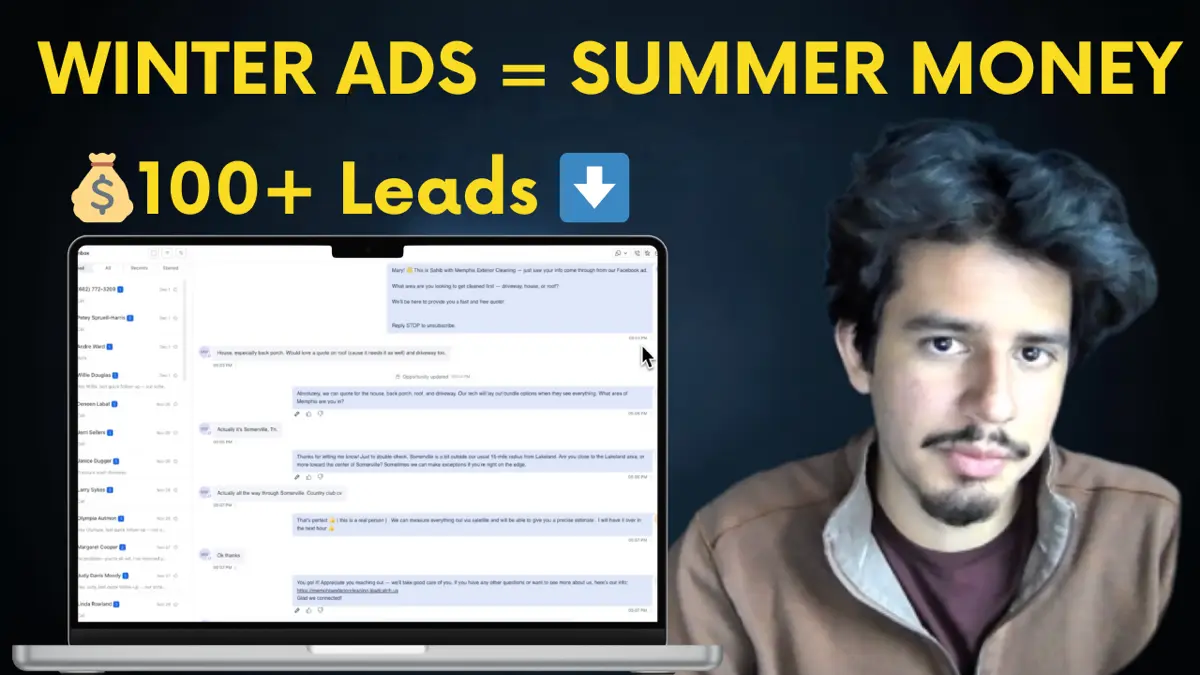
Facebook Ads
Run Facebook Ads in Winter or Lose $100K Next Season (Pressure Washing)
Winter pressure washing ads are the secret to six-figure spring seasons. See real December 2024 results and learn why running ads now builds momentum your competitors will never catch.
· 10 min read
Facebook Ads
How to Get Instant Notifications for Facebook Ad Leads (Never Miss Another Lead)
Discover how to automate Facebook lead follow-up with instant SMS notifications and AI-powered conversations that never let a lead go cold.
· 8 min read