
How to Run Facebook Lead Form Ads for Pressure Washing [2026 Full Setup]
By Keven Bermeo · · 12 min read
Most pressure washing business owners have no idea how to actually set up a Facebook ad campaign from scratch. They see the results (96 leads, 100 leads, 62 leads) and think it's magic. It's really a repeatable process that anyone can learn. In this guide, I'm walking you through the entire setup: campaign creation in Ads Manager, video editing in CapCut, lead form building, and CRM automation with LeadCatch.
This isn't theory. These are the exact steps I use to launch profitable Facebook lead form ads for pressure washing businesses across the country. By the end of this tutorial, you'll know how to create campaigns that generate leads at $10-$20 cost per lead and automatically follow up with every single person who submits a form. Let's get into it.
Step 1: Setting Up Your Facebook Lead Form Campaign in Ads Manager
First, go to ads.facebook.com and make sure you have a Facebook page and ad account set up. Click the green Create button and select Leads as your campaign objective. This tells Facebook you want to collect contact information, not drive traffic or get engagement. Name your campaign something descriptive like "Pressure Washing Ads - December 15, 2025" so you can track performance over time.
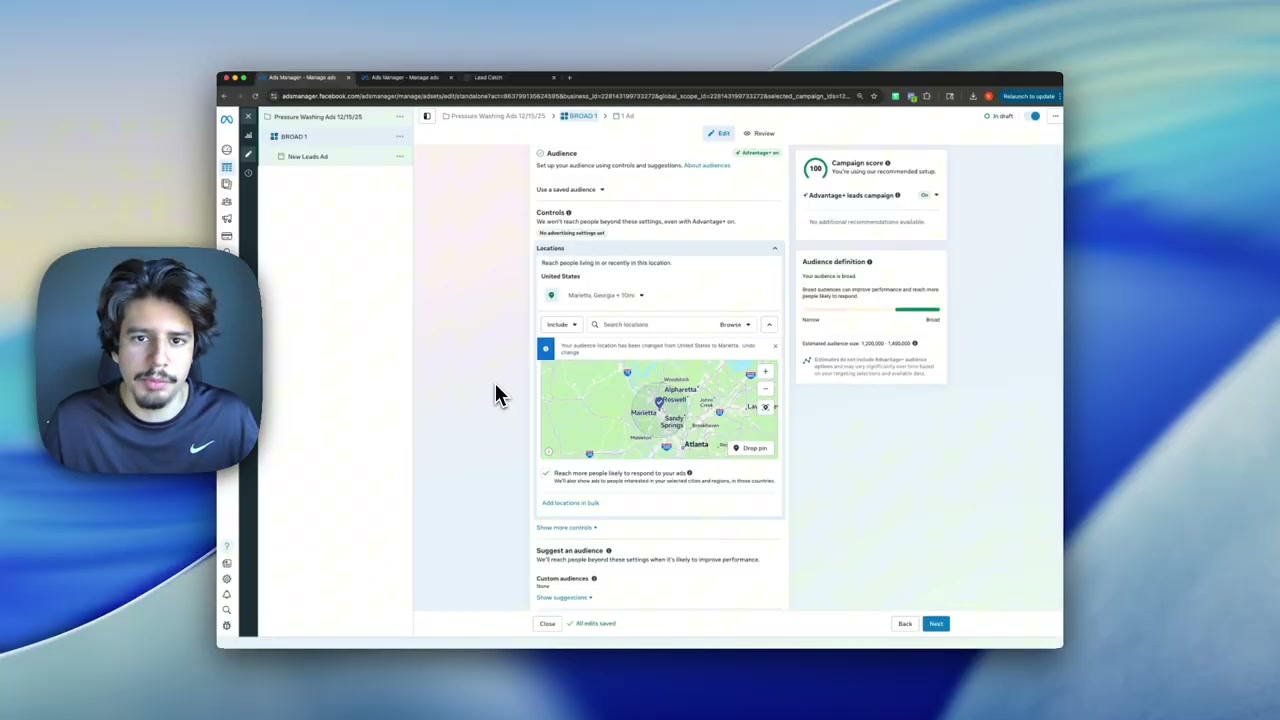
Next, you'll choose between campaign budget optimization (CBO) or ad set budget. I recommend CBO for most pressure washing campaigns because it allows Facebook to automatically allocate your budget to the best-performing ads. If you're testing multiple ad sets, CBO will spend more on the winners and less on the losers without you having to manually adjust budgets daily.
Set your daily budget based on your goals. If you're just starting, $20-$30 per day is a good baseline. This gives Facebook enough data to optimize while keeping your risk low. As you identify winning ads, you can scale your budget by 20-30% every few days. The key is to start small, gather data, and scale what works. LeadCatch clients typically start at $30/day and scale to $100+/day within 30 days once we identify winning creative.
Step 2: Targeting the Right Audience for Pressure Washing Leads
Audience targeting makes or breaks your campaign. For pressure washing, you want homeowners aged 35-65+ within a 15-25 mile radius of your service area. These are the people most likely to own homes that need exterior cleaning and have the budget to pay for it. Avoid targeting too young (renters) or too broad (entire state).
Use interest targeting to narrow your audience further. Target interests like "home improvement," "DIY," "HGTV," "home and garden," and "real estate." These interests indicate someone who cares about their property and is likely to invest in maintenance. You can also layer in income targeting if your market supports premium pricing.
Don't overthink targeting. Facebook's algorithm is smart enough to find the right people if you give it a reasonable starting point. The real optimization happens in your creative: your video and ad copy. If your ad resonates with homeowners who need pressure washing, Facebook will find more people like them. This is why we focus more on creative testing than audience testing at pressurewashingplays.com.
Step 3: Creating High-Converting Video Ads in CapCut
Now for the fun part: creating your ad video. Open CapCut (free on desktop and mobile) and start a new project. Import your pressure washing footage: before and after shots, time-lapses of cleaning, close-ups of algae and grime. The best-performing videos are 30-60 seconds long and formatted vertically (9:16 ratio) for mobile viewing.
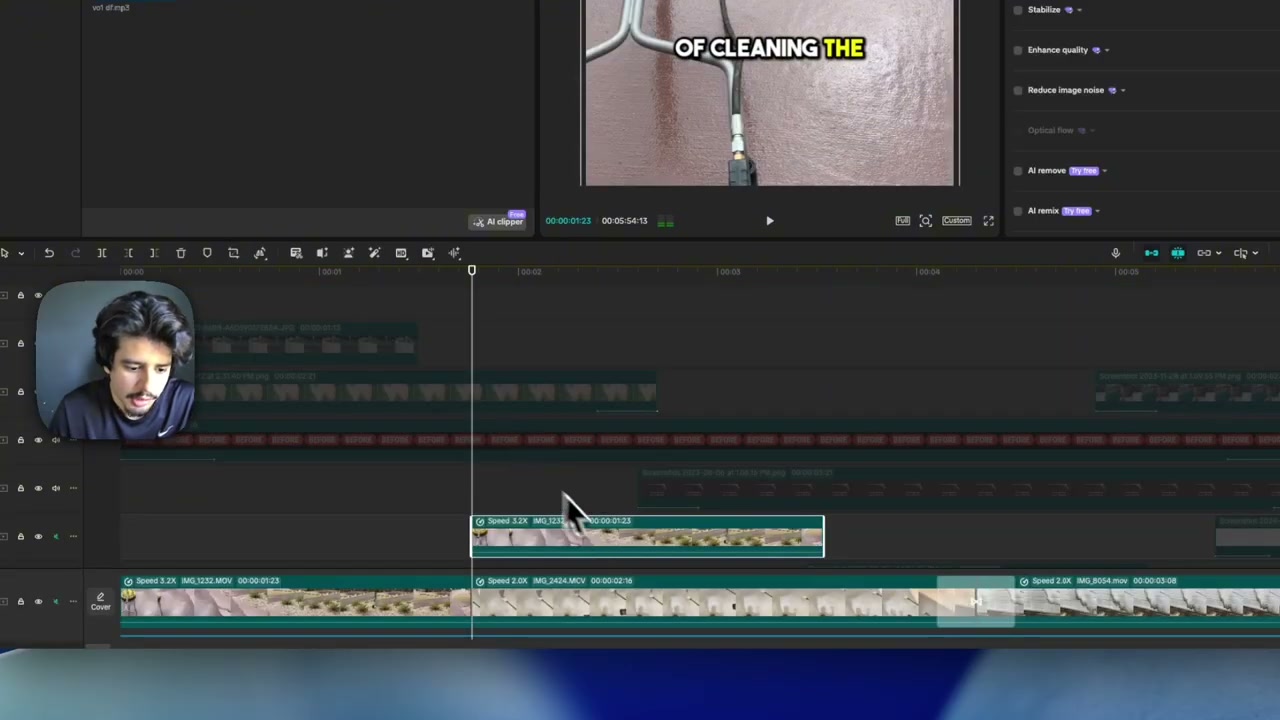
Your video script should follow this structure: hook in the first 3 seconds, problem agitation, solution, and call-to-action. For example: "Most homeowners stay on top of cleaning the inside of their home, but the outside gets ignored for years. That's where the real problems start: algae on the siding, stained driveways, and buildup that damages your property value. We specialize in exterior cleaning that restores your home's curb appeal. Fill out the form below for a free quote."
Add text overlays in CapCut to emphasize key points. Use bold, easy-to-read fonts and keep text on screen for 2-3 seconds. Add a voiceover using CapCut's text-to-speech feature or record your own. Background music should be subtle so it doesn't overpower your message. Export your video in 1080p and upload it to Facebook Ads Manager. This entire editing process takes 15-20 minutes once you have your footage.
Step 4: Writing Ad Copy That Converts
Your ad copy works with your video to drive conversions. Start with a strong hook that calls out your target audience: "Homeowners in [City]: Is algae taking over your siding?" Then describe the problem in 2-3 sentences, focusing on pain points like curb appeal, property damage, and embarrassment when guests visit.
Transition to your solution: "We specialize in professional pressure washing that removes years of buildup in hours. Our soft wash system is safe for all surfaces and guaranteed to restore your home's appearance." Keep it simple and benefit-focused. Homeowners care about results, not your equipment.
End with a clear call-to-action: "Fill out the form below for a free quote. We'll get back to you within 24 hours with a custom estimate." Test multiple ad copy variations. This is why we run 4 different copy versions per video in our LeadCatch campaigns. One version might emphasize speed, another emphasizes quality, another emphasizes price. Let Facebook tell you which message resonates most with your audience.
Step 5: Building Your Facebook Lead Form
In Ads Manager, scroll down to the lead form section and click Create Form. Give your form a name (internal use only) and write a compelling headline: "Get Your Free Pressure Washing Quote." Add a short description: "Tell us about your property and we'll send you a custom estimate within 24 hours."
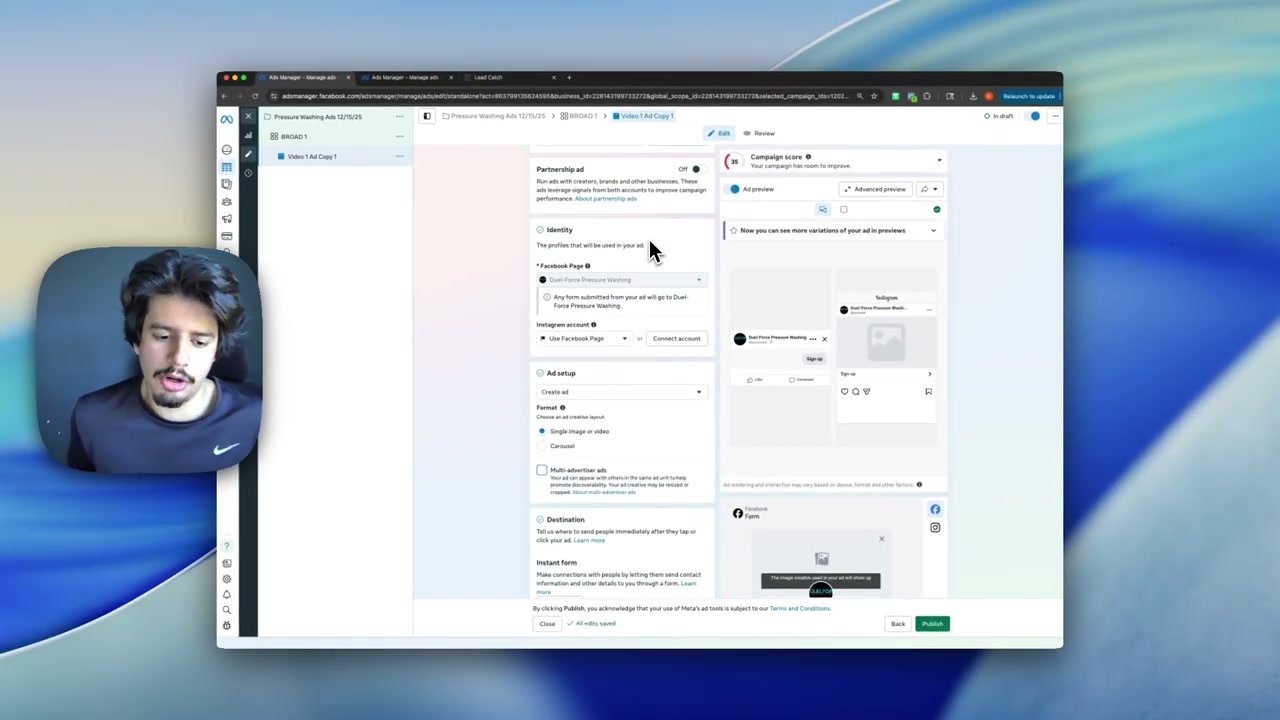
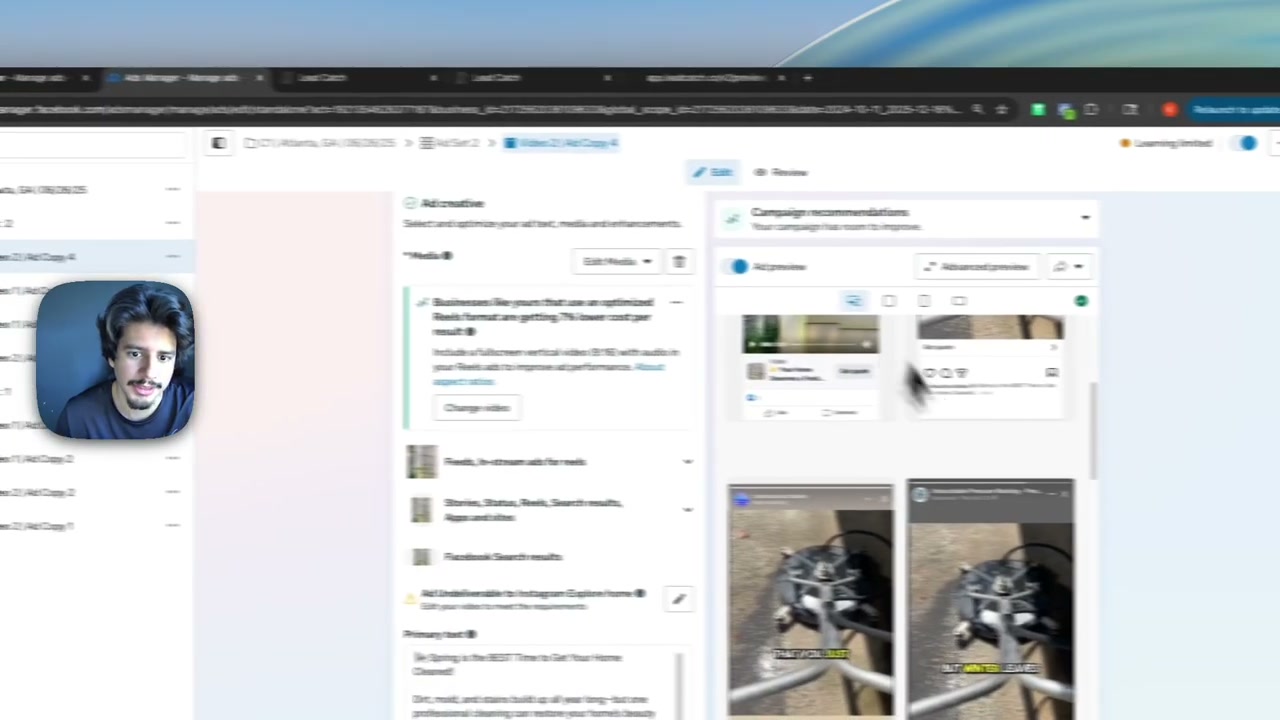
Choose which fields to collect. At minimum, ask for name, email, and phone number. You can add custom questions like "What services are you interested in?" with options for house washing, driveway cleaning, deck cleaning, etc. Keep your form short, because every additional field decreases conversion rates. Three to four fields is the sweet spot.
Add a privacy policy link (required by Facebook) and customize your thank-you screen. After someone submits the form, show a message like: "Thanks! We'll text you within 10 minutes with next steps." This sets expectations and reduces anxiety. Save your form and attach it to your ad. Now when someone clicks your ad, they'll see your lead form and can submit their info in seconds without leaving Facebook.
Step 6: Automating Follow-Up with LeadCatch CRM
Here's where most businesses fail: they collect leads but don't follow up fast enough. When someone fills out your Facebook lead form, they're hot and they want a quote now. If you wait 24 hours to respond, they've already called three other companies. This is why CRM automation is non-negotiable.
LeadCatch integrates directly with Facebook Lead Ads. When someone submits your form, their information automatically syncs to your LeadCatch CRM within seconds. Our AI automation immediately sends a text message: "Hi [Name], thanks for requesting a quote! We'll call you within 10 minutes to discuss your project. In the meantime, what services are you interested in?" This instant response dramatically increases your close rate.
The LeadCatch system continues to follow up over the next 7-14 days if the lead doesn't respond. Automated texts, emails, and reminders ensure no lead falls through the cracks. You can see all your leads in one dashboard, track which campaigns they came from, and measure your cost per sale, not just cost per lead. This is how you turn Facebook ads into a predictable revenue machine instead of a guessing game.
How LeadCatch Helps You Run Profitable Facebook Lead Form Ads
Setting up one campaign takes 30-45 minutes. Now imagine doing this 14 times with 8 ad variations each. That's 20+ hours of work just to get started, plus ongoing management, creative testing, and optimization. This is why we built the done-for-you ad service at LeadCatch, so you don't have to become a Facebook ads expert to generate consistent leads.
With LeadCatch Ads Management, we handle video editing, campaign setup in Ads Manager, lead form creation, and ongoing optimization, with every campaign connected to the LeadCatch app (included with every plan) for instant follow-up. You pay the ad spend directly to Meta. Your only job is to talk to leads and close jobs. If you're ready to grow your pressure washing business with Facebook lead form ads, see pricing or book a call.
Related Articles
Complete Facebook Ads Setup Guide for Home Service Businesses (2025)
Learn the exact Facebook ad setup process used to generate qualified leads for under $10. Complete w
Facebook Ads Manager Complete Setup Guide: Why Most Pressure Washing Ads Fail & How to Fix Them
Thinking about hiring a Facebook ads expert? Learn the real costs, what good agencies deliver, warni
Your Pressure Washing Leads Are Junk. Copy Our 2 Minute Fix
Frequently asked questions
What are Facebook lead form ads and why use them for pressure washing?
Facebook lead form ads allow users to submit their contact information directly on Facebook without leaving the platform. For pressure washing businesses, this reduces friction and increases conversion rates because homeowners can request quotes in seconds. Lead forms integrate with CRM systems for instant follow-up.
How do I set up a Facebook lead form ad campaign in 2026?
Go to ads.facebook.com, click Create, select Leads as your objective, name your campaign, choose campaign budget optimization, set your daily budget, define your audience targeting, create your ad creative with video, and build your lead form with custom questions. The full setup takes about 30-45 minutes.
What video editing software should I use for Facebook ads?
CapCut is the best free video editing software for Facebook ads. It allows you to create short-form vertical videos, add text overlays, include voiceovers, and export in the correct format for Facebook. Most successful pressure washing ad videos are edited in CapCut.
How do I automate follow-up for Facebook lead form submissions?
Integrate Facebook Lead Ads with a CRM like LeadCatch. When someone fills out your lead form, their information automatically syncs to your CRM, triggering instant text and email follow-up. This automation ensures you contact every lead within minutes of submission.
Should I use campaign budget optimization or ad set budget for pressure washing ads?
Campaign budget optimization (CBO) is recommended for most pressure washing Facebook ad campaigns. CBO allows Facebook to automatically allocate budget to the best-performing ad sets, maximizing results. Ad set budget gives you more control but requires more manual management.
How much should I spend daily on Facebook lead form ads for pressure washing?
Start with $20-$30 per day for your first campaign. This gives Facebook enough budget to optimize and generate data. As you identify winning ads, scale your daily budget by 20-30% every few days. Successful campaigns often scale to $100+ per day profitably.
Keep reading
Facebook Ads
I Spent Thousands on Facebook Ads for Pressure Washing: Here's What Happened
I pulled back the curtain on our internal dashboard to show exactly what thousands in Facebook ad spend looks like for pressure washing businesses: $12 leads, 3x ROI, and $76K in invoiced revenue through one platform.
· 9 min read
Facebook Ads
Run Facebook Ads in Winter or Lose $100K Next Season (Pressure Washing)
Winter pressure washing ads are the secret to six-figure spring seasons. See real December 2024 results and learn why running ads now builds momentum your competitors will never catch.
· 10 min read
Facebook Ads
How to Get Instant Notifications for Facebook Ad Leads (Never Miss Another Lead)
Discover how to automate Facebook lead follow-up with instant SMS notifications and AI-powered conversations that never let a lead go cold.
· 8 min read