
Step-by-Step: Building a Facebook Ad Campaign That Gets 6 Leads at $12 CPL
By Keven Bermeo · · 12 min read
Building a Real Campaign (Follow Along)
In this tutorial, I'm going to walk you through building a complete Facebook ad campaign from scratch for a real client. This is the exact campaign structure that generated 6 leads at $12 cost per lead with only $70 spent.
What you'll learn:
- How to set up an engagement campaign in Facebook Ads Manager
- Creating ad images in Canva (500x500px specifications)
- Writing personal story ad copy that converts
- Setting up messenger automation templates
- Split-testing strategy: 3 ads × 3 ad sets = 9 total ads at $30/day
💡 Want automation? Learn how to automate lead follow-up
Step 1: Campaign Setup in Facebook Ads Manager
If you're on a computer, head to adsmanager.facebook.com and follow along.
Choose Campaign Type: Engagement
We're running a personal story ad, so we'll use an Engagement campaign (not Leads). This gets better reach and cheaper opt-ins through Messenger conversations.
- Click "Create"
- Select "Engagement"
- Choose "Manual" (not automated)
- Click "Continue"
Name Your Campaign
Keep it simple and descriptive:
- Campaign Name: "Personal Story Ad 1"
- Ad Set Name: "Ad Set 1" (we'll create 3 total)
Step 2: Ad Set Configuration
Budget: $10 Per Day (Per Ad Set)
We're split-testing 3 ad sets, so total daily spend will be $30/day. Set your budget to $10/day for this first ad set.
Schedule Your Ad
Schedule it to start at a specific time (e.g., 1:00 PM) so you can monitor performance from the beginning.
Location Targeting (CRITICAL)
Step 1: Remove "United States". If you leave this on, your ad shows everywhere and you waste money.
Step 2: Add your specific city (in this example, Jacksonville) and set radius to 20 miles.
Step 3: Turn OFF "Expand geographic targeting". This prevents Facebook from showing your ad to people 50+ miles away who will never hire you.
Demographics
- Age: 35+ (homeowners)
- Gender: All
Interest Targeting (Optional)
Add one interest related to homeowners:
- Example: "Home and Garden"
Placements Strategy
For video ads: Use Advantage+ Placements (let Facebook optimize)
For image ads: Use Manual Placements and select ONLY:
- ✅ Facebook Feed
- ✅ Instagram Feed
- ✅ Stories (optional)
Turn OFF everything else: Reels, Messenger, Video Feeds, etc. You want your ad in the main feed where people scroll and engage.
Step 3: Creating Your Ad Image in Canva
Canva Image Specifications
Go to Canva and create a 500x500 pixel custom design. This is the optimal size for Facebook image ads.
Image Design Elements
For personal story ads, your image should include:
- Photo of the business owner (builds trust)
- Personal element (in this example, client is active military)
- Text overlay with hook or headline
- Brand colors or logo (optional)
Pro tip: Personal photos outperform generic stock images. People buy from people, not faceless businesses.
Download and Upload
- Download your image from Canva
- Upload to Facebook Ads Manager under "Media"
- Select your image for the ad
Step 4: Writing Personal Story Ad Copy
What is a Personal Story Ad?
Instead of pitching your service or offering a discount, you tell the business owner's story. This builds connection and trust before people even opt in.
Personal Story Template
"Hey everyone, [Name] here from [Business Name]. I want to share a bit about my journey... [Personal background: military service, family, why you started the business] I started this business because [reason that connects with homeowners]. If you're looking for [service type], I'd love to help. We treat every home like it's our own. Click 'Send Message' below for a free quote!"
Example: Veteran-Owned Angle
For this client, we highlighted his military service:
- Active military background (builds trust and respect)
- Transitioned to pressure washing to serve community
- Values: integrity, hard work, attention to detail
- Call-to-action: message for free quote
Headline Options
Keep headlines short and benefit-focused:
- "Veteran-Owned Pressure Washing"
- "Trusted by Jacksonville Homeowners"
- "Family-Owned, Military Values"
Step 5: Messenger Automation Template
Why Messenger Automation?
When someone clicks your ad, they'll message your business page. The automated response should:
- Thank them for reaching out
- Ask qualifying questions
- Collect their contact info (address for quote)
Template Setup in Ads Manager
Click "Create New" under Messenger settings and add these elements:
Initial Auto-Reply:
"Hey [Name]! Thanks for reaching out about pressure washing. We'd love to help! Can you tell me a bit about your project?"
Quick Reply Buttons (Optional):
- "I need a house wash"
- "I need driveway cleaning"
- "I need a full property cleaning"
Follow-Up Message:
"Perfect! Can you send me your address so I can give you a quick quote?"
Lead Response Protocol
Once the automated messages collect info, YOU need to:
- Respond within 5 minutes (non-negotiable)
- Call the lead twice (first call won't vibrate on iPhone)
- Follow up with a text if no answer
- Send quote via Messenger or text
Step 6: Split-Testing Strategy (9 Ads Total)
The Testing Framework
We run 3 ad sets × 3 ads each = 9 total ads at $30/day total budget.
Ad Set 1: Test Headlines
- Same ad copy (personal story)
- Same 3 images (variations of owner photo)
- Different headlines on each of the 3 ads
Example:
- Ad 1: "Veteran-Owned Pressure Washing"
- Ad 2: "Trusted by Jacksonville Homeowners"
- Ad 3: "Family-Owned, Military Values"
Ad Set 2: Test Different Copy
Duplicate Ad Set 1, but this time:
- Keep the same 3 images
- Use a different personal story variation (focus on different aspect of background)
- Same 3 headlines
Ad Set 3: Third Copy Variation
Duplicate again with a third personal story angle:
- Same 3 images
- New copy variation (maybe focus on results/transformations)
- Same 3 headlines
How to Duplicate Ad Sets Quickly
- Go back to Ad Set level in Ads Manager
- Click "Duplicate" on Ad Set 1
- Rename to "Ad Set 2"
- Click into each ad and update the primary text (copy)
- Keep images and headlines the same
- Publish
Repeat for Ad Set 3.
Real Results: 6 Leads at $12 CPL
Using this exact structure, this client generated:
- 6 leads in the first few days
- $12 cost per lead
- $70 total ad spend
If we extrapolate over 30 days at $30/day budget:
- $900/month ad spend
- ~75 leads per month at $12 CPL
- Close 20% = 15 jobs
- Average job $600 = $9,000 revenue
- 10x return on ad spend
What Comes with Done-For-You Ads Management
If you don't want to build these campaigns yourself, here's what LeadCatch Ads Management covers:
Initial Campaign Build
- Multiple campaigns and ad variations created
- Canva image design (we create all images)
- Ad copy written (personal stories, offers, etc.)
- Messenger templates set up
- Targeting configured for your city
- Campaign structure optimized
Ongoing Optimization
- Performance monitoring
- Cut underperforming ad sets
- Scale winning campaigns
- Launch new campaigns to keep testing
- Leads delivered into the LeadCatch app, included with every plan
Your Role
All you do is:
- Respond to leads within 5 minutes
- Quote and book jobs
- Execute the work
- Collect payment
Recommended Budget: $20-30/Day Minimum
If you're working with us, we recommend at least $20-30/day budget because:
- Faster testing (get results in 3-5 days vs 2 weeks)
- Higher lead volume (15-20 leads/week)
- Ability to close 1-2 extra jobs per week ($1,000-2,000 additional revenue)
At $30/day ($900/month), you're looking at 60-75 leads/month. Close 20% and you're booking 12-15 jobs worth $6,000-9,000 in revenue.
Next Steps After This Campaign Goes Live
48-Hour Check-In
After 48 hours, look at cost per lead:
- Under $15 CPL: Keep running, start duplicating and scaling
- $15-20 CPL: Monitor for another 24 hours before deciding
- Over $20 CPL: Cut the ad set and try new copy/images
Scaling Winners
If an ad set gets leads under $15 CPL:
- Let it run for 5-7 days to gather data
- Duplicate the winning ad set
- Increase budget from $10/day → $30/day on the duplicate
- Keep the original running at $10/day
- Gradually increase original by $2-3 every other day
Cutting Losers
If an ad set isn't performing after 3 days:
- Turn it off (don't let it keep burning money)
- Analyze what didn't work (copy? image? targeting?)
- Launch a new variation with changes
Why Personal Story Ads Work Better Than Discount Offers
Most pressure washers run ads like:
- "$99 Driveway Special!"
- "20% Off First Wash!"
- "Call for Free Quote!"
These ads attract price shoppers who ghost you after the quote.
Personal story ads attract buyers who:
- Connect with you as a person
- Trust you before they even opt in
- Care less about price and more about quality
- Are more likely to close and leave reviews
Common Mistakes to Avoid
1. Leaving "Expand Geographic Targeting" On
This shows your ad to people 50+ miles away. They'll opt in, then say "Oh, you're too far away." Wasted lead.
2. Not Responding Within 5 Minutes
Leads go cold FAST. If you wait 30 minutes, they've already moved on to the next pressure washer.
3. Only Testing One Ad
You need volume to find winners. One ad set with one ad isn't enough data. Test at least 3 ad sets × 3 ads = 9 ads.
4. Giving Up After 48 Hours
Sometimes ads take 3-5 days to optimize. Don't cut an ad after 24 hours unless it's clearly bombing ($30+ CPL).
5. Not Having a Messenger Automation
If leads have to wait for your manual response, many will ghost. Automate the first message immediately.
Key Takeaways
- ✅ Engagement campaigns work best for personal story ads
- ✅ 500x500px images in Canva for optimal Facebook display
- ✅ Personal stories outperform discount offers
- ✅ Messenger automation collects leads immediately
- ✅ 3 ad sets × 3 ads = 9 ads at $30/day total budget
- ✅ Test headlines in Ad Set 1, test copy in Ad Sets 2-3
- ✅ Respond within 5 minutes to maximize conversions
- ✅ $12 CPL is a winning campaign, so scale it
Who Should Use This Strategy?
This is perfect for you if:
- You're making $2,000-5,000/month and want to scale
- You have at least $600-900/month for ad spend
- You can respond to leads within 5-10 minutes
- You're willing to test and optimize for 2-3 weeks
This is NOT for you if:
- You're just starting out (stick with door-to-door first)
- You can't afford $20-30/day ad spend
- You're not willing to follow up fast on leads
- You want instant results without testing
Ready to Scale Your Pressure Washing Business?
If building campaigns like this sounds overwhelming, we handle everything for you, from campaign creation to daily optimization. All you do is respond to leads and book jobs. See Ads Management or book a call.
We typically work with pressure washers making $2,000-5,000/month who want to grow with Facebook ads.
Related Articles
How I Structure Profitable Facebook Ad Campaigns (Client Got 140+ Leads)
My client spends $19 and gets a sale, meaning an actual paying customer, not just a lead. This is what happens whe
Facebook Ads Manager Complete Setup Guide: Why Most Pressure Washing Ads Fail & How to Fix Them
Thinking about hiring a Facebook ads expert? Learn the real costs, what good agencies deliver, warni
$25,000 in Sales Using Only Facebook Ads: Complete Case Study & LeadCatch Setup
Complete breakdown of a $50K Facebook ads campaign showing what actually works at scale. Real number
Frequently asked questions
What's the first step to building a Facebook ad campaign?
Start with clear campaign objectives: Are you generating leads, building awareness, or driving sales? For pressure washing, always choose 'Leads' objective with Instant Forms to capture contact information directly within Facebook.
Should I use automatic or manual placements for pressure washing ads?
Always use manual placements and select Facebook Feed only. Automatic placements waste budget on Instagram Stories, Reels, and Audience Network which don't convert well for local home services. Facebook Feed delivers the best ROI.
How do I target the right audience for pressure washing services?
Target homeowners aged 35-65 within 15-mile radius of your service area. Use income targeting $75k+, exclude renters, and target homeowner-related interests like home improvement, HGTV, and local homeowner groups for best results.
What budget should I set for each ad set?
$5-10 per ad set is optimal. Run 3-4 ad sets simultaneously ($20-40/day total) to generate enough data for Facebook's algorithm to optimize. Lower budgets don't provide sufficient learning volume for consistent results.
How many form fields should my Facebook lead form have?
Keep it to 3-4 fields: Name, phone, email, and optionally address. Every additional field decreases conversion rates 10-20%. LeadCatch's AI can ask qualifying questions after they submit the initial short form.
How quickly should I expect leads after launching my campaign?
You should see first leads within 6-24 hours if targeting and creative are strong. If no leads after 48 hours at $20/day spend, your targeting is too narrow, creative isn't compelling, or offer isn't strong enough.
Keep reading
Facebook Ads
I Spent Thousands on Facebook Ads for Pressure Washing: Here's What Happened
I pulled back the curtain on our internal dashboard to show exactly what thousands in Facebook ad spend looks like for pressure washing businesses: $12 leads, 3x ROI, and $76K in invoiced revenue through one platform.
· 9 min read
Facebook Ads
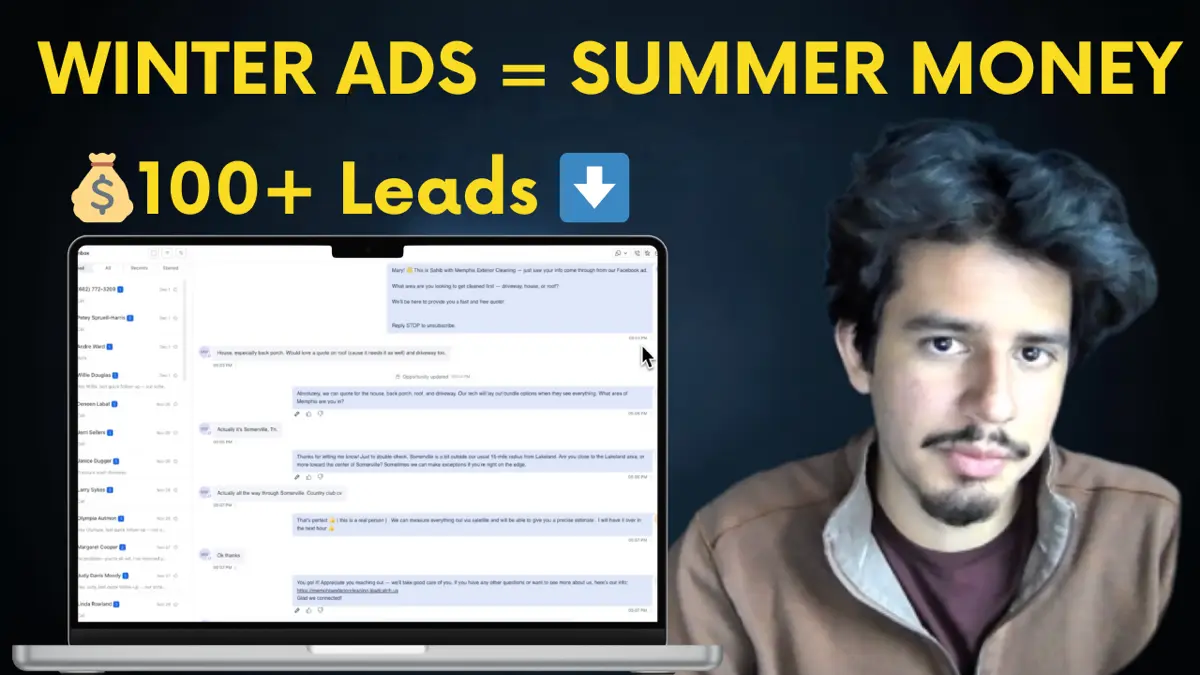
Run Facebook Ads in Winter or Lose $100K Next Season (Pressure Washing)
Winter pressure washing ads are the secret to six-figure spring seasons. See real December 2024 results and learn why running ads now builds momentum your competitors will never catch.
· 10 min read
Facebook Ads
How to Get Instant Notifications for Facebook Ad Leads (Never Miss Another Lead)
Discover how to automate Facebook lead follow-up with instant SMS notifications and AI-powered conversations that never let a lead go cold.
· 8 min read