How I Created Profitable Facebook Ads in 30 Minutes Using AI (And Got Jobs This Week)
By Keven Bermeo · · 18 min read
Your equipment is collecting dust. You need jobs NOW. You don't have time to spend weeks testing ads. You need results this week.
I'm going to show you exactly how I launched a campaign that got 3 leads at $8 cost per lead using AI-generated images, created everything in 30 minutes, and closed jobs within days.
🎯 Want the full system? Complete 32-ad system guide with ChatGPT templates
The Situation: When You Need Jobs Fast
This Strategy Is For You If:
- You have zero jobs scheduled this week
- Your equipment is sitting idle
- You're willing to invest $50-75/day to get results fast
- You need immediate cash flow
- You don't have time for months of testing
The Reality of Fast Results
If you want fast results, you need to test at a higher budget. $10-20/day is fine for long-term testing, but when you need jobs THIS WEEK, you need $50-75/day minimum.
"Yes, you'll see $75 leaving your account daily. Some days you'll get no leads. But you only need ONE job to make 7x ROI."
Real Results: The Campaign That's Working
Campaign Performance
- Location: East Coast market
- Budget: $75/day
- Results: 4 leads at $23 average cost per lead
- Best performing ad set: 3 leads at $8 cost per lead
- Total spend: $25 on winning ad set
- Time to create: 30 minutes
- Jobs closed: Multiple jobs already booked
Why $23 Cost Per Lead Isn't Bad
You might look at $23 per lead and think it's expensive. But this is normal when testing at high budgets. The key is identifying the winning ad (the $8 cost per lead one) and scaling that while cutting the losers.
Campaign Budget Optimization (Critical Setup)
Advanced Campaign Budget vs Ad Set Budget
This is the most important setting most people mess up:
Campaign Budget Optimization (Recommended)
- Set ONE budget at the campaign level
- Facebook automatically allocates budget to winning ad sets
- Money flows to what's working
- More efficient optimization
Ad Set Budget (Not Recommended)
- Each ad set gets its own fixed budget
- Forces spending on losers
- Less efficient optimization
- Wastes money on non-performing ads
How to Set Up Campaign Budget
- Click Create in Ads Manager
- Select Leads objective
- Click Continue
- Choose Manual Leads Campaign
- At campaign level, enable Advance Campaign Budget
- Set budget to $50-75/day
AI Image Creation with Google Gemini
The Secret: AI-Generated Images Work
Every single image in this campaign was AI-generated using Google Gemini. No real before/after photos. No video ads. Just AI images with a strong offer.
Why Google Gemini?
- Cost: $20/month for Gemini Advanced (required for image generation)
- Quality: Produces realistic pressure washing transformations
- Speed: Generate variations in seconds
- Alternatives: ChatGPT, Claude, Perplexity, or Grok (all work similarly)
The Exact Prompt Structure
Here's the framework for the prompt:
Create a 500x500 pixel Facebook ad image for a pressure washing business.
The image should show:
- A dramatic before/after house washing transformation
- Bold "50% OFF" text prominently displayed
- Text: "HOUSE WASH SPECIAL"
- Professional, eye-catching design
- Colors: [Your brand colors]
- Phone number: [Your number]
- City: [Your city]
Make it look professional and attention-grabbing for Facebook feeds.
Iterating with AI (Expect Multiple Attempts)
Don't expect perfect results on the first try. Here's what happened with my iterations:
First Attempt:
- Gemini literally put "500 x 500 pixel" text ON the ad
- Not what I wanted
- Asked to remove dimension text
Second Attempt:
- Better, but text was too small
- Didn't love the layout
- Asked for bigger text and different composition
Third Attempt:
- Perfect, this became the WINNING ad
- Clean design, bold text, professional look
- $8 cost per lead performance
Creating Variations
Once you have one good image, create variations quickly:
"Nice. Give me a different variation of this with [different color scheme / different house angle / different text placement]."
Gemini will generate new versions while maintaining the winning elements.
Downloading and Uploading to Facebook
- Click Download on Gemini-generated image
- Go to Facebook Ads Manager
- Create or duplicate an ad
- Click Edit Media
- Click Add Media → Add Image
- Upload your downloaded AI image
- Done
The 50% Off Strategy (And Why It Works)
The Offer That Gets Attention
Run a 50% off house wash offer. Not 15% off. Not 20% off. 50% OFF in big, bold letters.
But Here's The Truth (The Real Strategy)
You're not actually doing house washes for $100-200. Here's how this really works:
Step 1: They Fill Out the Form
- The 50% off offer gets them to stop scrolling
- They fill out your lead form
- You get their contact information
Step 2: You Call Them Immediately
- Call within 5 minutes
- Build rapport and trust
- Get them excited about the transformation
Step 3: The Sales Call (Where Money Is Made)
Your script:
"Hey [Name], I saw you requested the 50% off special. Great news: we actually have a job in your neighborhood this week, so we can swing by and take a look at your property."
[After assessing the property]
"Normally, a house wash of this size runs $700-800. But since we're already in your area and have limited spots this week, I can do it for $500-600."
[Frame it as urgency + discount without explicitly saying "50% off"]
Objection Handling
If they say: "But the ad said 50% off"
Response:
"That 50% off applies to standard-sized homes up to [specific square footage]. Your home is larger, so it requires more time and materials. But I'm still giving you a significant discount. Normally this would be $800, but I can do $550 since we're in your area this week. We only have 2 spots left."
Key Elements of the Close
- Neighborhood proximity: "We're already doing a job nearby"
- Limited availability: "Only 2 spots left this week"
- Anchor high, discount moderate: "$800 normally, $550 today"
- Urgency: "Book now while we're in your area"
The Ethics Question
Some people call this a "bait and switch." I call it smart marketing. Every business runs promotional offers to get customers in the door, then presents actual pricing based on scope of work. As long as you're honest about sizing and pricing on the call, you're doing business correctly.
Ad Copy Framework
The Winning Formula
Here's the exact structure that's working:
🚨 FLASH SALE: 50% OFF House Washing! 🚨
Your home deserves to look its best. We're offering a LIMITED TIME 50% discount on professional house washing services.
✅ Remove dirt, mold, and grime
✅ Restore your home's curb appeal
✅ Licensed & insured professionals
✅ Same-week availability
⏰ LIMITED SPOTS: Only 5 appointments left this week
📅 OFFER ENDS: [Specific Date]
👉 Fill out the form below to claim your 50% discount before it's gone!
Key Copy Elements
- FLASH SALE: Creates urgency and grabs attention
- LIMITED SPOTS: Scarcity drives action
- Specific end date: Creates deadline pressure
- Benefits list: Shows transformation and professionalism
- Clear CTA: "Fill out the form below"
Creating Copy Variations
Test 3 different copy variations per image:
- Copy 1: Flash sale urgency (shown above)
- Copy 2: Seasonal angle ("Spring cleaning special")
- Copy 3: Problem/solution ("Is algae destroying your home's value?")
Ad Set Configuration (Keep It Simple)
Targeting Settings
- Location: Your city + 10-mile radius
- Age: 30-65
- Gender: All
- Detail targeting: NONE (leave blank)
- Placements: Advantage+ Placements (let Facebook optimize)
Don't Overcomplicate This
"All you need is basic targeting. Put your city, 10-mile radius, age 30-65, and let Facebook do its thing."
Campaign Structure Breakdown
How the Winning Campaign Was Built
Campaign Level
- Leads objective
- Campaign budget: $75/day
- 3 ad sets testing different images
Ad Set Level (3 Ad Sets)
- Ad Set 1: AI Image Variation #1
- Ad Set 2: AI Image Variation #2
- Ad Set 3: AI Image Variation #3 (WINNER - $8 CPL)
Ad Level (3 Ads Per Ad Set)
Each ad set contains 3 ads with the SAME IMAGE but different copy:
- Ad 1: Image A + Copy Variation 1
- Ad 2: Image A + Copy Variation 2
- Ad 3: Image A + Copy Variation 3
Why This Structure Works
By testing the same image with different copy, you isolate the variable. If one ad performs better, you know it's the copy, not the image. This makes optimization clearer.
Analyzing and Optimizing Performance
How to Find Your Winners
Step 1: Go to Ad Set Level
Look at all 3 ad sets. Which one has the lowest cost per lead and most leads?
Step 2: Click Into Winning Ad Set
- Select the checkbox next to the winning ad set
- Click "Ads" to see ads within that ad set
- Identify which of the 3 copy variations performed best
Step 3: Kill the Losers
- Turn off ad sets with $20+ cost per lead
- Turn off ad sets with zero leads after $30-40 spend
- Keep only the winners running
The 3-Day Rule
Give campaigns 2-3 days before making kill decisions. Sometimes Facebook needs time to optimize and find the right audience.
The 30-Minute Timeline
Minute 0-10: AI Image Generation
- Open Google Gemini
- Input prompt with your details
- Generate 3 image variations
- Download all 3 images
Minute 10-15: Copy Creation
- Use AI (Gemini, ChatGPT, etc.) to generate 3 copy variations
- Edit to sound human (remove robotic language)
- Add specific dates and phone numbers
Minute 15-30: Campaign Setup
- Create leads campaign in Ads Manager
- Set campaign budget to $50-75/day
- Create 3 ad sets (one per image)
- Upload images and copy to each ad set
- Set basic targeting (city, 10 miles, 30-65 age)
- Launch
Budget Reality Check
The $75/Day Commitment
Here's what to expect:
- Days 1-2: You might get zero leads. This is normal.
- Days 3-5: Leads start coming in as Facebook optimizes
- Days 6-7: You should have clear winners and losers
- Week 2+: Only winners running, cost per lead stabilizes
ROI Calculation
- Week 1 spend: $525 ($75 × 7 days)
- Conservative leads: 30 leads at $17.50 average
- Conversion rate: 20% = 6 jobs
- Average ticket: $500 (after discount positioning)
- Revenue: $3,000
- ROI: 571% (5.7x return)
When to Use This Strategy
Perfect For:
- Empty schedule this week
- Need immediate cash flow
- Willing to invest $350-500 for testing
- Can respond to leads within 5 minutes
- Strong at sales and objection handling
NOT Recommended If:
- You can't afford to lose $500 testing
- You're already booked solid
- You can't respond quickly to leads
- You're not comfortable with phone sales
Key Takeaways
- AI-generated images work just as well as real photos
- Google Gemini can create ads in minutes ($20/month plan required)
- 50% off offers get attention, then close at 30% off on the phone
- Campaign budget optimization > ad set budgets
- $50-75/day budget for fast testing and results
- Test 3 images with 3 copy variations each (9 ads total)
- Simple targeting: 10-mile radius, 30-65 age, no interests
- Wait 2-3 days before cutting non-performers
- One job pays for entire week of ad spend
- Speed matters: 30 minutes from idea to launch
Take the Risk
If you're sitting at home with no jobs scheduled, your equipment collecting dust, and you need cash flow NOW, this is your answer.
"Yes, $75/day is scary. Some days you'll get no leads. But you only need ONE job to make 7x ROI. Take the risk. Launch the ad. Follow this process."
It's only a matter of time before you get that $8 cost per lead campaign like the one I showed you. Test different ads until you find your winner.
You're competing against pressure washers who won't invest in their marketing. While they're knocking doors and begging for work, you'll have leads coming in automatically.
Ready to Launch in 30 Minutes?
If building ads and managing campaigns sounds overwhelming, LeadCatch Ads Management does it for you:
- Creative made for your market
- Ad copy written and tested
- Campaigns configured with proper budget optimization
- Ads launched and managed, with ad spend paid directly to Meta
See Ads Management or book a call.
Related Articles
AI Video Automation for Pressure Washing: Create Ads & Social Content in 2 Minutes
If you
How to Create a $10K Facebook Ad (Complete Video Editing Breakdown)
$300 spent, 25 leads generated, $12 cost per lead. These are real results from a pressure washing Fa
Complete Facebook Ads Setup Guide for Home Service Businesses (2025)
Learn the exact Facebook ad setup process used to generate qualified leads for under $10. Complete w
Frequently asked questions
Can AI-generated images work for Facebook ads in home services?
Yes. Google Gemini and similar AI tools create realistic before/after visuals that convert. While real photos perform slightly better, AI images work when you need speed. Test AI-generated ads alongside real photos to optimize for best results.
How quickly can I launch a profitable Facebook ad campaign?
With AI tools, you can launch profitable campaigns in 30 minutes: 10 minutes for image generation, 10 minutes for ad copy via ChatGPT, 10 minutes for campaign setup. LeadCatch's templates speed this up further with pre-built campaign structures.
What's the best offer strategy when I need jobs fast?
The '50% off' limited-time offer creates urgency and drives immediate bookings. Run for 3-5 days only, advertise prominently in your ad, and close leads at full price after 'discount expired.' This generates quick cash flow while building your pipeline.
Should I start with $50/day or $100/day for Facebook ads?
Start with $50/day ($25 per ad set x 2 ad sets) for testing if budget-conscious. Increase to $75-100/day once you identify winning creative. Higher budgets provide faster data but risk more if ads don't convert. Test first, scale second.
How do I create Facebook ad videos without expensive equipment?
Use your smartphone for job footage, then edit with CapCut (free). Add text overlays, before/after transitions, and social proof. AI voiceover tools can add narration. No expensive cameras or editing software needed. Good lighting and steady hands are enough.
What's the fastest way to get my first Facebook ad lead?
Launch engagement campaigns to Messenger with strong offers like '50% off this week only.' Messenger leads come faster and cheaper than form submissions. LeadCatch's AI handles Messenger conversations automatically to qualify and book appointments.
Keep reading
Facebook Ads
I Spent Thousands on Facebook Ads for Pressure Washing: Here's What Happened
I pulled back the curtain on our internal dashboard to show exactly what thousands in Facebook ad spend looks like for pressure washing businesses: $12 leads, 3x ROI, and $76K in invoiced revenue through one platform.
· 9 min read
Facebook Ads
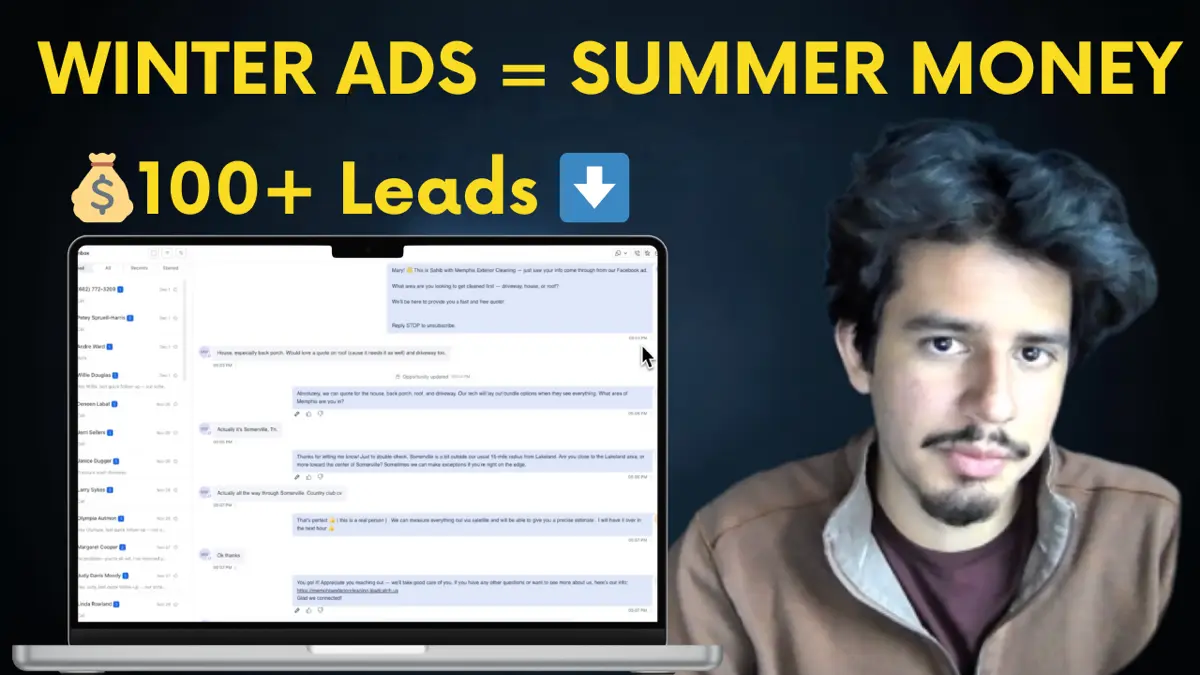
Run Facebook Ads in Winter or Lose $100K Next Season (Pressure Washing)
Winter pressure washing ads are the secret to six-figure spring seasons. See real December 2024 results and learn why running ads now builds momentum your competitors will never catch.
· 10 min read
Facebook Ads
How to Get Instant Notifications for Facebook Ad Leads (Never Miss Another Lead)
Discover how to automate Facebook lead follow-up with instant SMS notifications and AI-powered conversations that never let a lead go cold.
· 8 min read